ESSENTIAL WALKTHROUGH
Your first gas certificate. From setup to PDF.
A walkthrough of the Essential record workflow, using fictional samples to show the finished output.
Create your free account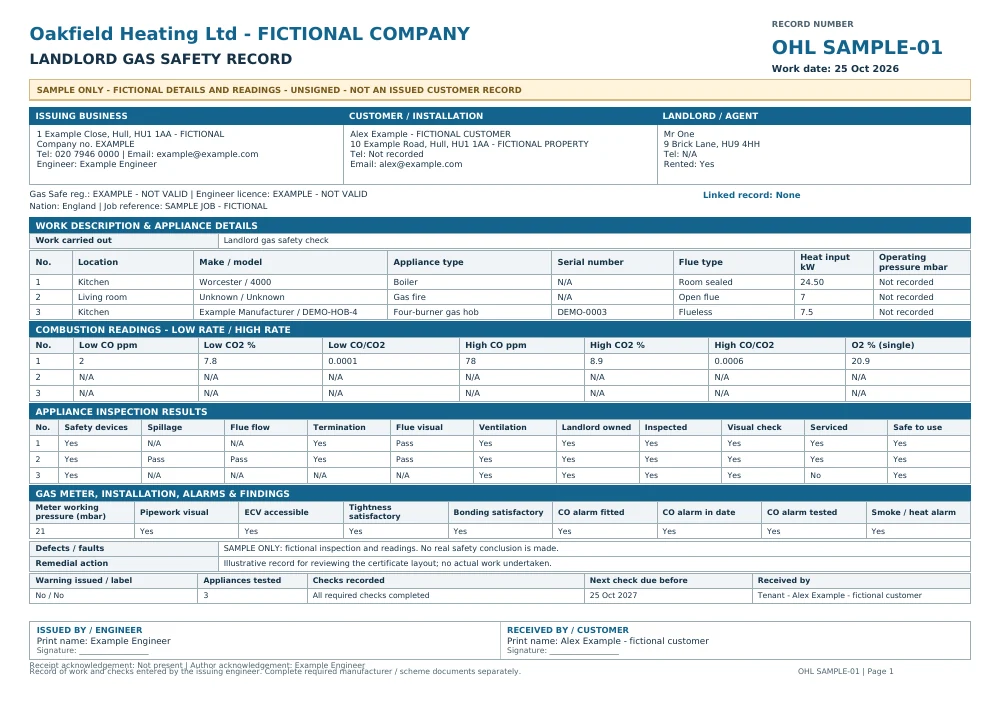
Landlord gas safety record sample. Original A4 output; additional pages are included in the PDF where needed.
Follow the workflow
- Create your account and save your company and engineer details in Company setup.
- Open the certificate workspace and choose the record matching the work, such as Landlord gas safety record or Gas appliance service & repair.
- Enter the customer, property and job details. Work through each relevant question and repeatable appliance section. Save your draft when you need to return later.
- Review the complete answers and correct anything that needs changing. Record customer acknowledgement if available; the engineer signs last.
- With the paid package or an applicable grant, issue the numbered record and create its A4 PDF. Changing reviewed answers requires review and signatures again.
Prepare free; issue with the package
Free accounts can save supported drafts. Issuing numbered customer documents and downloading their PDFs requires a paid subscription or an applicable access grant. Sample PDFs shown here are fictional, unsigned examples, not customer records.
Before you choose
Can I return to a draft?
Yes. Save the supported draft in your account and reopen it in the matching workspace. Review the details before issuing; a sample PDF is not an editable draft.