ESSENTIAL WALKTHROUGH
Set up your business. Make the paperwork yours.
Save the information that identifies your company and engineers before starting customer records.
Create your free account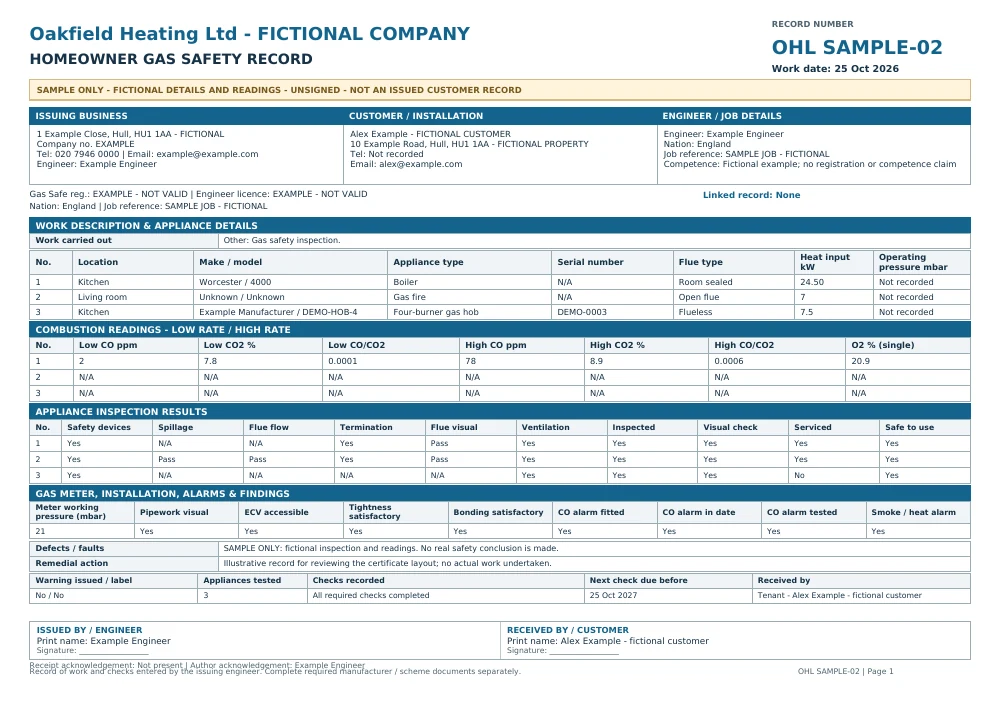
Homeowner record with company details. Original A4 output; additional pages are included in the PDF where needed.
Follow the workflow
- Create your Essential account, then open Company setup.
- Enter your business name, address and contact information accurately. Add the company branding and registration details supported by the setup form.
- Add the engineers who work under the company account and their relevant details. The base package includes up to two engineers; additional capacity is a paid option.
- For invoices, save the bank details and default payment terms if you use bank transfer. A cash-paid invoice does not display those bank details.
- Create a draft and check the selected engineer and company information before issuing it. Existing issued documents keep their original snapshot rather than being silently rewritten when setup changes.
Prepare free; issue with the package
Free accounts can save supported drafts. Issuing numbered customer documents and downloading their PDFs requires a paid subscription or an applicable access grant. Sample PDFs shown here are fictional, unsigned examples, not customer records.
Before you choose
Can I return to a draft?
Yes. Save the supported draft in your account and reopen it in the matching workspace. Review the details before issuing; a sample PDF is not an editable draft.