ESSENTIAL WALKTHROUGH
Create an invoice. Set the right payment terms.
Follow the existing invoice workflow, including bank-transfer details or cash already paid on site.
Create your free account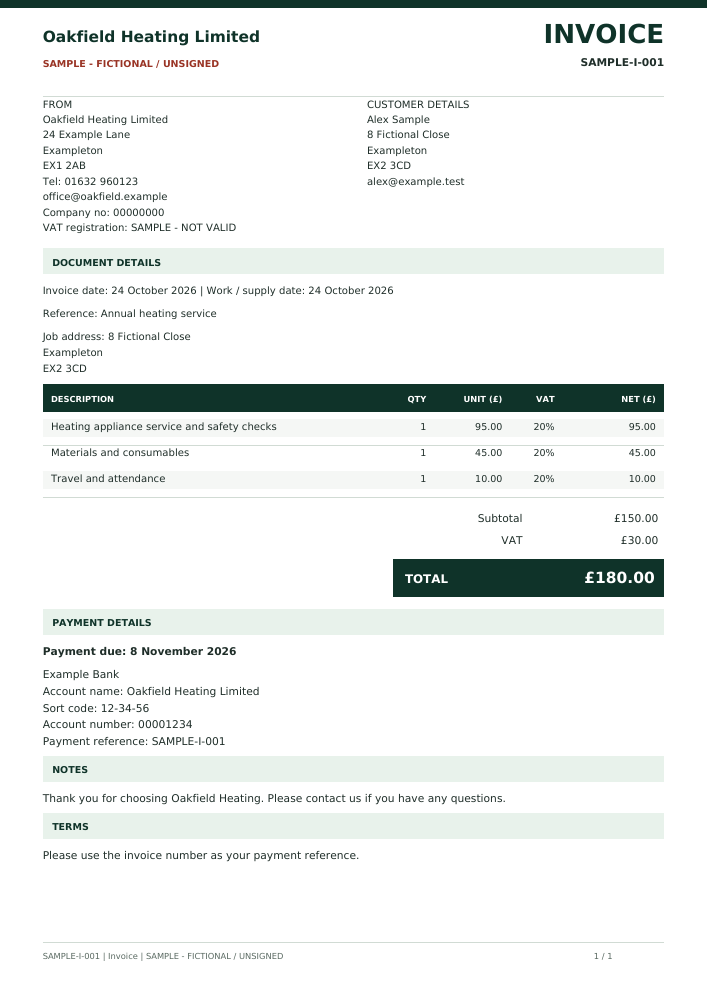
Fictional invoice sample. Original A4 output; additional pages are included in the PDF where needed.
Follow the workflow
- Add your business details and, for bank-transfer invoices, your bank information in Company setup.
- Open Quotes & invoices and start an Invoice, or create an invoice draft from an issued quote.
- Add the customer, work, line items and applicable VAT information. Check the totals.
- Choose same-day, 15, 30 or 90-day terms, or a custom due date. For a payment already received in cash, choose Paid by cash on site and record its date; the invoice omits bank details and shows zero balance.
- Save while drafting. Review and issue with the paid package or an applicable grant, then download the A4 PDF or send through your connected company email.
Prepare free; issue with the package
Free accounts can save supported drafts. Issuing numbered customer documents and downloading their PDFs requires a paid subscription or an applicable access grant. Sample PDFs shown here are fictional, unsigned examples, not customer records.
Before you choose
Can I return to a draft?
Yes. Save the supported draft in your account and reopen it in the matching workspace. Review the details before issuing; a sample PDF is not an editable draft.